
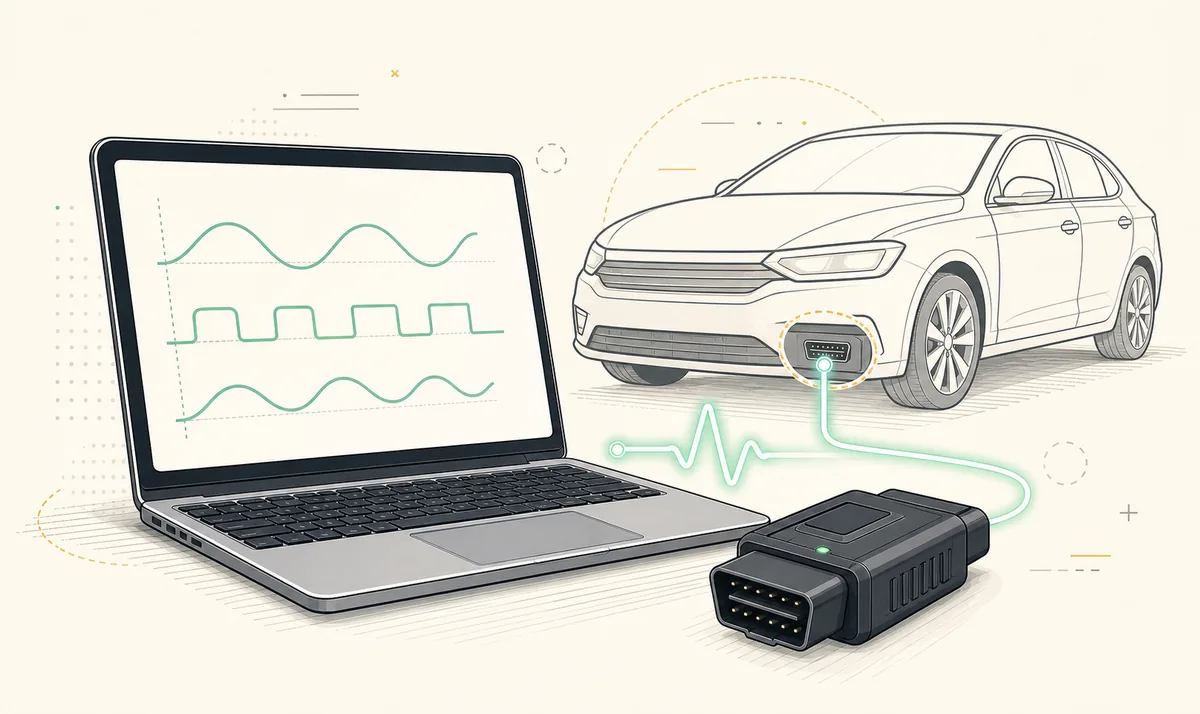
There is no native FORScan desktop download for Mac verified by this site. The main desktop application targets Windows. For portable diagnostics, use the official FORScan Lite iPhone/iPad app with a supported adapter. For Windows-only configuration work, a separate supported Windows PC is the clearest option; virtualization adds USB, driver and power-management variables. Searches such as 'how to use FORScan on Mac' usually describe Windows in a virtual machine, a separate PC or the mobile app—not a native macOS build. Confirm the path before downloading a package.
Is there a native FORScan download for Mac?
The desktop download workflow and installer guidance target Windows. We did not find a verified native macOS installer through an accessible first-party source during the July 16, 2026 check. That means a DMG, PKG or app bundle offered by an unrelated download site should not be treated as official merely because it uses the FORScan name.
A wrapper, compatibility layer or virtual machine is different from a native release. It can run Windows software in another environment, but driver access, USB timing, Bluetooth support and sleep behavior remain part of the setup. Those variables matter more when a diagnostic task writes configuration.
The Mac question is usually a compatibility decision, not a request for an unverified DMG. Match the task to Windows, FORScan Lite or a controlled virtual-machine test.
Practical FORScan options for Mac users
| Option | Good fit | Main limitation |
|---|---|---|
| FORScan Lite on iPhone/iPad | Portable diagnostics, DTCs, live data and supported service functions | Configuration and programming are not available according to the iOS listing |
| Separate Windows laptop | Full desktop workflow with documented adapter drivers | Requires another device |
| Windows virtual machine on Mac | Testing read-only desktop access when hardware passthrough is stable | USB, Bluetooth, sleep and VM timing add failure points |
| Remote Windows PC | Reviewing a Windows machine already connected locally | Vehicle hardware still needs a stable local connection; remote control adds operational risk |
Using FORScan in a Windows virtual machine
Virtualization may allow the Windows application to open, but opening is not the same as a reliable diagnostic environment. The OBD adapter must be passed through to the Windows guest, its driver must work there, and the Mac must not reclaim the device or sleep during a session.
If you test virtualization, begin with module identification, DTC reading and live data. Do not make a configuration or programming operation your first reliability test. A separate Windows laptop with a documented USB adapter removes several layers of uncertainty and is easier to compare with established procedures.
- Confirm the Windows guest can see the adapter consistently after reconnecting it.
- Disable sleep for the duration of the test without weakening security settings.
- Use a stable wired adapter where possible.
- Save vehicle backups outside the virtual machine disk.
- Do not continue to a write if USB passthrough has disconnected even once.
FORScan Lite as the verified Apple-platform option
FORScan Lite is available through the Apple App Store for iPhone and iPad. The verified listing showed version 1.5.31 and a May 9, 2026 update. It supports diagnostics such as reading DTCs and live data for compatible vehicles and adapters, but the listing states that configuration and programming functions are not available.
This is a real Apple-platform application, but it does not turn a Mac into the Windows desktop version. Choose it when the mobile feature set meets the task, and choose a Windows setup when a documented procedure requires desktop-only functions.
Apple silicon, Windows on ARM and adapter drivers
Apple silicon Macs add another compatibility layer because a virtual machine normally runs Windows on ARM rather than the same x64 Windows environment used by many established desktop guides. Windows can translate many ordinary applications, but a USB adapter driver still needs to support the guest operating system and architecture. Application launch success does not prove that a kernel-level driver or serial device will behave correctly.
Before relying on this setup, check the adapter manufacturer's current Windows on ARM statement, not only the virtualization vendor's general USB support. Confirm repeated device attachment, COM-port stability and recovery after reconnecting the adapter. If the manufacturer supplies only an older x64 driver or does not document ARM support, use a supported Windows laptop instead of treating vehicle configuration as the compatibility test.
Bluetooth passthrough can be even less direct because the Mac, virtual machine and Windows guest may divide responsibility for the radio. A USB adapter passed exclusively to the Windows guest is easier to observe, but it still needs a supported driver and stable power-management behavior.
Avoid fake FORScan Mac downloads
- Do not install an unsigned or unrelated DMG promoted as a full free FORScan port.
- Do not use torrent bundles that combine Windows software, wrappers and cracked license files.
- Do not assume a Wine-style wrapper has been tested for stable OBD hardware access.
- Do not use a virtual machine for module writing until repeated read-only sessions prove the adapter connection is stable.
- Use the official App Store for FORScan Lite and the developer page for Windows downloads.
Native FORScan download for Mac checks
A native FORScan download for Mac would need a developer-published macOS package, stated system requirements, release notes and a verifiable signing identity. A page that merely converts the Windows filename into a DMG label, bundles a compatibility wrapper or shows a generic Mac icon does not establish a native release. Check the developer's own product and download pages before trusting any package claim.
Because no native FORScan download for Mac was verified during this review, do not bypass macOS security warnings to test an unrelated installer. Choose the official mobile app for supported portable diagnostics or prepare a supported Windows computer for the desktop workflow. This preserves a clear update source and avoids making an unknown wrapper part of an already hardware-sensitive vehicle connection.
FORScan for Mac FAQ
Can I download FORScan directly for macOS?
This site could not verify a native macOS desktop release. The main desktop application targets Windows. Searches such as 'how to use FORScan on Mac' usually describe Windows in a virtual machine, a separate PC or the mobile app—not a native macOS build.
Will FORScan work in a Windows virtual machine on Mac?
It may run, but reliable adapter passthrough, drivers, sleep behavior and timing must be tested. Begin with read-only diagnostics and avoid writes until stability is proven.
Is FORScan Lite available for Mac?
The verified Apple listing is for iPhone and iPad. Do not assume it provides the full desktop workflow on macOS.
What is the safest option for module configuration?
A supported Windows PC with a documented stable adapter is the clearest setup for Windows-only procedures.
Can Wine run FORScan?
Even if the application opens, OBD hardware and driver reliability remain uncertain. This site does not recommend a compatibility layer for module writing.
Where should Apple users download FORScan Lite?
Use the official Apple App Store listing and confirm the seller, version, screenshots and regional price.
The Apple mobile option is verified through the App Store. No native macOS desktop installer is claimed because an accessible first-party source did not support that claim during this check.
FORScan Lite on the App StoreFORScan developer download page