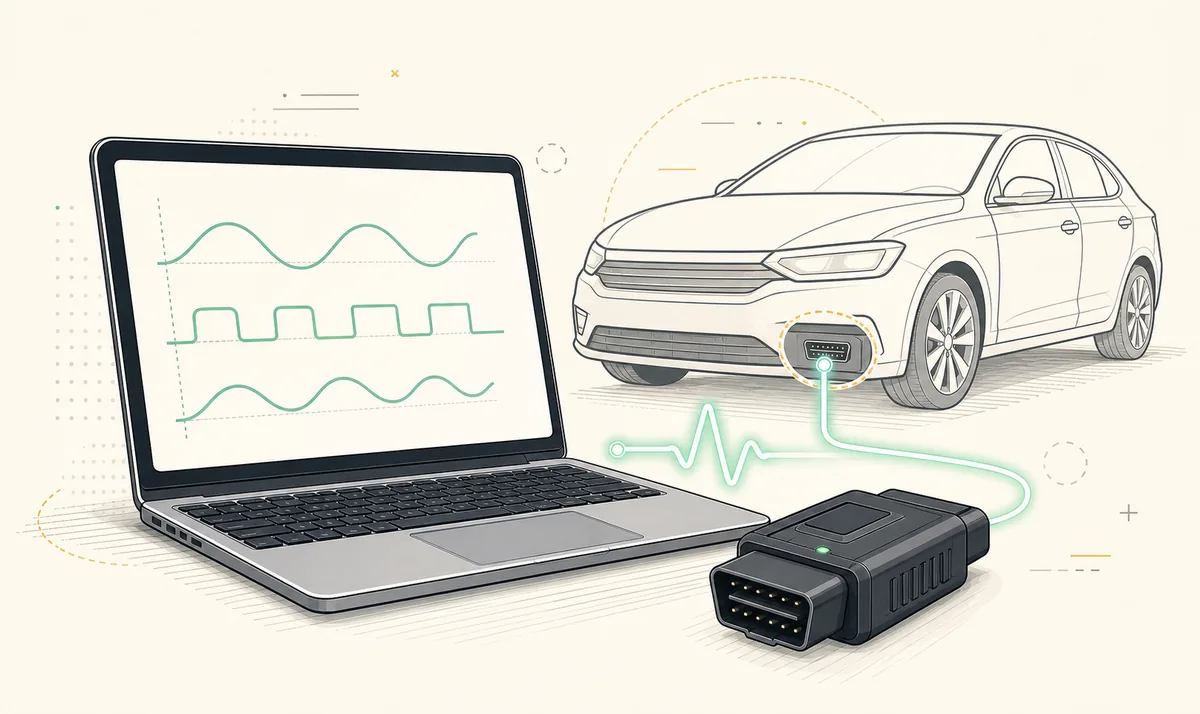
A FORScan ELM327 adapter must match both the device platform and the vehicle networks you need. For Windows, a documented USB adapter is usually the simplest stable choice. For iOS, the current FORScan Lite App Store listing recommends OBDLink MX+, vLinker FS Bluetooth and vLinker FD BLE and warns that other low-quality ELM327-compatible adapters may not work properly. A FORScan ELM327 setup should be checked in Device Manager or the app, then repeated after reconnecting. Record the exact model, driver and network-switch details; a generic ELM327 label is not enough.
Why the FORScan adapter choice matters
ELM327 is used broadly in product names, but it does not guarantee identical hardware, firmware or reliability. Two adapters with the same label can support different commands, wireless modes and vehicle networks. A device that reads generic emissions data may still fail to identify manufacturer-specific modules.
FORScan can maintain a longer and more demanding session than a simple phone code reader. Connection drops are inconvenient during live data and potentially serious during configuration. Buy for documented platform support, network access and reliability rather than the lowest price or a version number printed on a marketplace listing.
Test the adapter with read-only data first. Confirm the expected modules, stable reconnection and the HS-CAN/MS-CAN path before any configuration write.
USB vs Bluetooth vs BLE vs Wi-Fi
The words Bluetooth and wireless are not precise enough for compatibility. Confirm the exact radio mode and the operating systems listed by the adapter manufacturer. On Windows, also check whether the adapter creates a COM port or uses another supported connection path.
| Connection | Typical fit | Advantages | Watch for |
|---|---|---|---|
| USB | Windows desktop | Stable cable, clear COM-port workflow, no pairing | Correct driver, data-capable cable and secure physical connection |
| Bluetooth Classic | Some Windows and Android setups | No Wi-Fi network switch | Not the same as BLE; iPhone support varies by adapter |
| BLE | Modern iPhone/iPad and supported mobile devices | Low-power mobile connection | Must be explicitly supported by the app and adapter |
| Wi-Fi | Cross-platform mobile or devices without suitable Bluetooth | Broad device compatibility | Can replace internet connection and add network setup complexity |
Adapters named by the FORScan Lite iOS listing
The verified US App Store listing for FORScan Lite 1.5.31 names OBDLink MX+ as recommended, vLinker FS Bluetooth as recommended and vLinker FD BLE as recommended. It also says other ELM327-compatible Wi-Fi or BLE adapters are not recommended and may not work correctly when hardware quality is poor.
That wording applies to the iOS listing and should not be transformed into a universal claim that one adapter is best for every Windows programming task. Use it as first-party evidence for mobile support, then check the adapter manufacturer's current Windows and vehicle-network documentation for your desktop workflow.
- OBDLink MX+: listed as recommended by the iOS app description.
- vLinker FS Bluetooth: listed as recommended by the iOS app description.
- vLinker FD BLE: listed as recommended by the iOS app description.
- Other ELM327 Wi-Fi or BLE hardware: may work, but is explicitly not recommended in that listing.
Vehicle network and switching support
Supported vehicles can contain modules on more than one network. Older adapter workflows sometimes use a manual HS-CAN/MS-CAN switch, while newer documented adapters may switch automatically. If modules are missing, do not immediately assume FORScan or the vehicle is faulty. Review whether the adapter can access the required networks and whether any switch is in the correct position.
A manual switch adds a procedural step and can be easy to forget. Automatic switching is more convenient, but only when the adapter and application support it correctly. The adapter's product documentation should describe network support explicitly. Marketplace phrases such as full chip or latest ELM327 are not a substitute.
Troubleshoot a FORScan adapter connection
- 1
Check power and device detection
Confirm the adapter powers on and that Windows or the mobile device can see it using the intended connection method.
- 2
Verify the driver or radio mode
Install the official USB driver or confirm whether the adapter uses Bluetooth Classic, BLE or Wi-Fi.
- 3
Confirm ignition state
Follow the vehicle-specific connection instruction. An incorrect ignition state can prevent module identification.
- 4
Test read-only data
Read module information, DTCs and live data before considering any configuration write.
- 5
Reduce variables
Try a known cable, USB port or supported adapter. Do not troubleshoot software, vehicle and wireless hardware changes at the same time.
FORScan OBD adapter buying checklist
- The manufacturer explicitly lists your operating system and connection mode.
- The adapter documents access to the vehicle networks required by FORScan.
- Windows drivers are available from the adapter manufacturer when USB is used.
- The seller identifies the actual model, not only a generic ELM327 version claim.
- Firmware update and support instructions exist.
- You have a wired or otherwise stable option before configuration and programming work.
Compatible FORScan ELM327 adapter setup
A compatible FORScan ELM327 adapter setup is proven by repeatable behavior, not only by a successful pairing message. Connect with the ignition state required for the vehicle, confirm that the expected modules are identified and read DTCs from more than the generic engine controller. Disconnect cleanly, reconnect and repeat the same check before relying on the hardware for a longer service procedure.
The compatible FORScan ELM327 adapter setup should remain stable while live data is viewed and while the cable or mobile device stays in its normal working position. On Windows, confirm the same COM port returns after reconnecting. On mobile, confirm the app reconnects through the intended Bluetooth, BLE or Wi-Fi mode without switching to another saved device.
Document the compatible FORScan ELM327 adapter setup with the exact adapter model, firmware, connection mode, operating system and vehicle. If a network is missing, verify HS-CAN/MS-CAN support or switch position before changing software versions. These checks cannot guarantee that a specific write is safe, but they expose weak hardware and configuration mistakes before a higher-risk task begins.
FORScan ELM327 adapter FAQ
Will any ELM327 adapter work with FORScan?
No. Hardware quality, command support, connection mode and vehicle-network access vary. Use a documented compatible adapter. A FORScan ELM327 setup should be checked in Device Manager or the app, then repeated after reconnecting.
Is USB better than Bluetooth for FORScan?
USB is usually the most predictable Windows connection because it avoids pairing and wireless sleep. Mobile devices may require a supported BLE, Bluetooth or Wi-Fi adapter.
Does iPhone support normal Bluetooth ELM327 adapters?
Not every Bluetooth mode works on iPhone. Check for explicit iOS support such as a supported BLE or approved Bluetooth adapter rather than relying on the word Bluetooth.
Why are some FORScan modules missing?
The adapter may not access the required vehicle network, a manual network switch may be in the wrong position, or the vehicle/session state may be incorrect.
Do I need an HS-CAN/MS-CAN switch?
It depends on the adapter and vehicle. Some adapters use a manual switch; documented newer devices may switch automatically.
Can I program modules over Wi-Fi?
A supported Wi-Fi adapter may connect, but stability is critical for writing. Follow the procedure and adapter guidance; prefer the most reliable supported connection available.
The named mobile adapters and warning about poor-quality ELM327 hardware come from the current FORScan Lite US App Store description checked July 16, 2026.
FORScan Lite on the App Store