
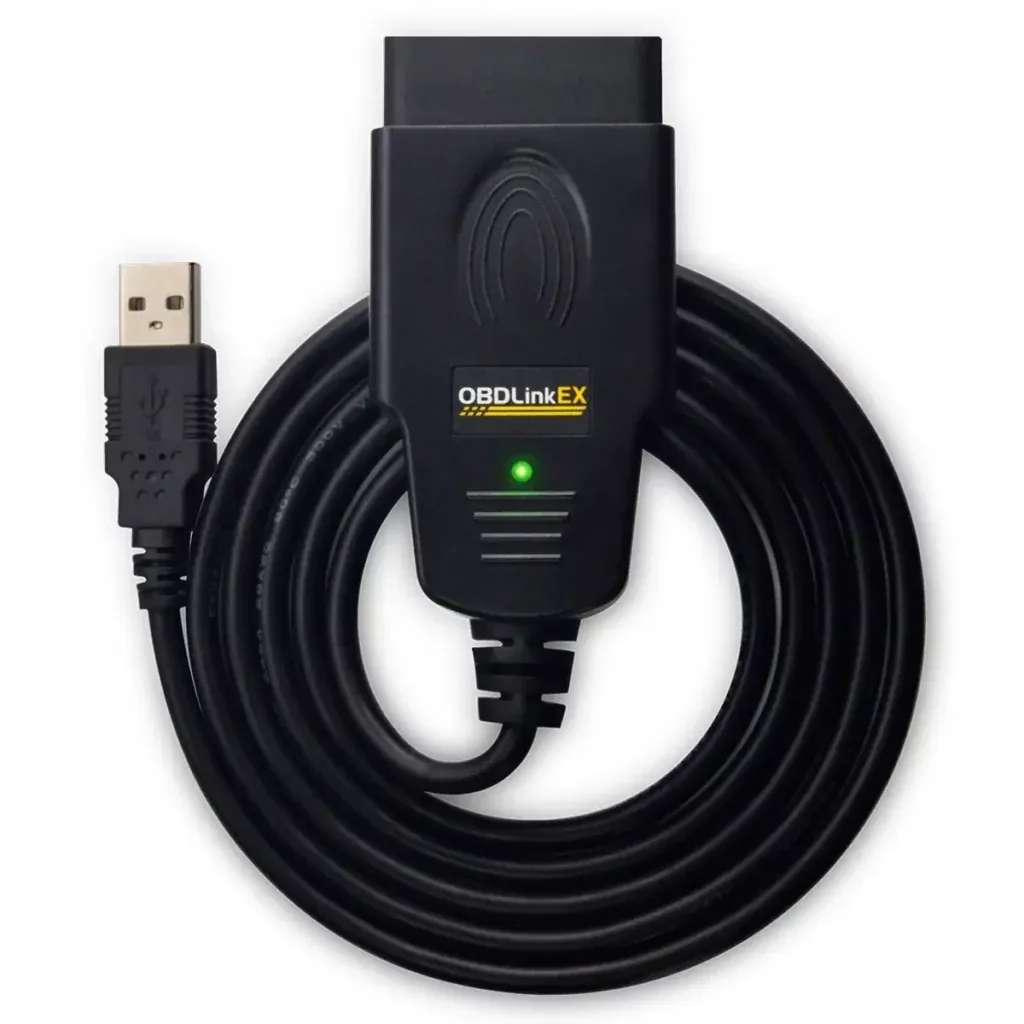
OBDLink EX is a strong FORScan adapter choice for a Windows laptop when you want a wired USB connection and automatic access to supported Ford CAN networks without operating a manual HS-CAN/MS-CAN switch. It is not a Bluetooth or Wi-Fi adapter, so it is not the right product for an iPhone or a cable-free Android workflow. Buy it for a documented Windows/FORScan use case, not because every vehicle or write procedure is guaranteed.
Is OBDLink EX a good fit for FORScan?
OBDLink markets EX as an OBD-II adapter made for FORScan and lists Windows as the supported operating system. Its practical advantage is predictability: one physical USB path, no radio pairing and automatic electronic switching between supported high- and medium-speed CAN networks.
That does not make it universal. Vehicle support still depends on FORScan, model year, installed modules and the procedure you plan to perform. Use the adapter first for identification, DTCs and live data. Treat configuration, service functions and programming as separate tasks that require exact vehicle support, stable power and backups.
| Adapter type | Best use | Main advantage | Main limitation |
|---|---|---|---|
| OBDLink EX USB | Windows FORScan sessions | Wired link and automatic CAN switching | Not for cable-free mobile use |
| Manual-switch ELM327 | Older budget Windows setups | Can reach multiple networks when used correctly | The user must switch at the correct time |
| Bluetooth/BLE/Wi-Fi adapter | Supported mobile or wireless workflows | No USB cable to the computer or phone | Radio mode, app and platform must match |
What to verify before buying OBDLink EX
Confirm that the computer you will use has a stable USB port and that your task is supported in the current Windows version of FORScan. The product page identifies Windows and FORScan as the intended combination; it does not promise iOS, Android or macOS operation.
- Buy from OBDLink or a seller that clearly identifies the genuine EX model.
- Check the current OBDLink support page for the driver and setup instructions.
- Verify the vehicle, model year and modules you need before assuming a spreadsheet or service function applies.
- Plan a stable-power method before a long service or write operation.
- Keep a simpler read-only test as the first session on a new computer or adapter.
Install the OBDLink EX driver and connect to FORScan
- 1
Use the official support instructions
Open the OBDLink EX support article and install the current driver when Windows does not load it automatically. Avoid third-party driver bundles.
- 2
Connect directly to the laptop
Use a stable USB port. For the first test, avoid an unpowered hub, loose extension cable or dock that may sleep or reset.
- 3
Plug into the vehicle with ignition state confirmed
Seat the OBD connector fully and follow the vehicle-specific ignition instruction. Do not begin with a configuration write.
- 4
Open FORScan and identify the adapter
Allow FORScan to detect the connection. If the adapter is not found, check Windows Device Manager, the USB driver and the selected connection settings.
- 5
Save a read-only baseline
Let FORScan identify the vehicle, save the profile, read module information and DTCs, and confirm that expected networks return consistently.
How automatic CAN switching helps FORScan
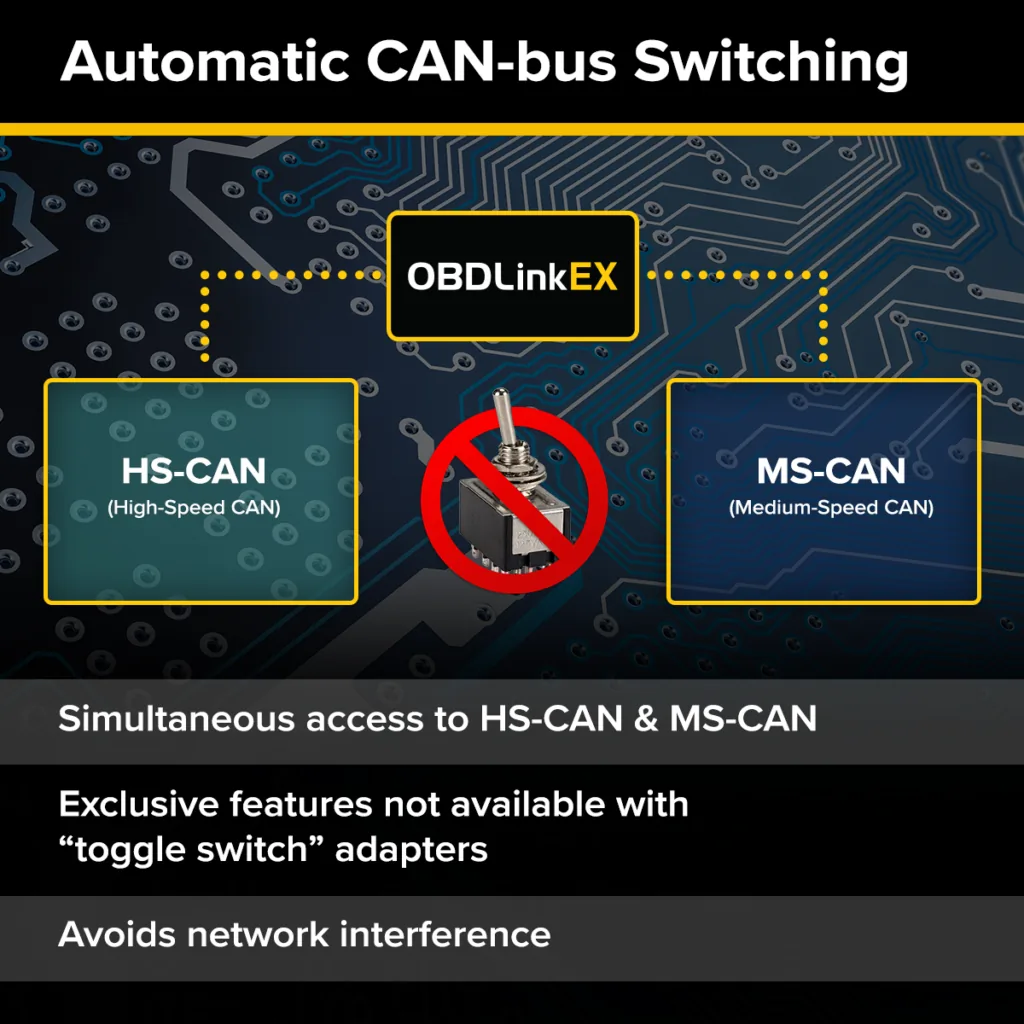
Ford-family vehicles can place modules on more than one CAN network. Older adapters may require the user to move a physical HS-CAN/MS-CAN switch when FORScan requests it. OBDLink EX performs supported network switching electronically, reducing the chance that a module is missed because the switch stayed in the wrong position.
Automatic switching is convenience, not permission to write. Missing modules can still result from vehicle coverage, ignition state, wiring, a module fault or software support. Diagnose the missing network before changing configuration.
Run a read-only OBDLink EX connection test
A successful connection banner is only the start. Record the FORScan version, OBDLink driver, adapter identity, vehicle profile and modules found. Read DTCs from several modules, view a small set of live values, disconnect normally and repeat the same identification sequence.
The second connection should return the same expected modules without USB resets or intermittent adapter errors. If the laptop sleeps, the cable moves easily or the COM device disappears, resolve that before any service function or write.
Troubleshoot OBDLink EX and FORScan connection problems
Change one variable at a time. Keep the vehicle and ignition state unchanged while testing another USB port or reinstalling the official driver. Save exact error text and session logs without publishing VIN, Hardware ID or personal data.
- Disable USB selective suspend only when you understand the system-wide effect and can restore the setting.
- Do not download an unknown driver updater or modified FORScan installer.
- Do not continue into a write while the adapter disconnects during ordinary reads.
- Compare against OBDLink and FORScan support documentation before blaming a module.
| Symptom | Check first | Do not assume |
|---|---|---|
| Adapter not detected | Windows driver, USB port and Device Manager | The vehicle is unsupported |
| Only some modules appear | Ignition state, vehicle profile and network support | A newer FORScan build will automatically fix it |
| Connection drops | USB power management, cable seating and hub/dock behavior | A write is safe because one scan completed |
| FORScan asks for a switch | Confirm adapter selection and current software/firmware guidance | Move or modify hardware without documentation |
When another FORScan adapter is a better choice
Choose a supported Bluetooth, BLE or Wi-Fi adapter when the real requirement is a phone or tablet. The official FORScan Lite store information names mobile-oriented adapters separately; an OBDLink EX USB cable should not be presented as an iPhone accessory.
For a Windows laptop, another documented wired adapter may also work. Compare official platform support, CAN-network coverage, driver availability, firmware support and connection stability. Price alone is a weak deciding factor when the task can write vehicle configuration.
- iPhone or iPad: use an adapter explicitly supported by the current iOS app.
- Android without USB host planning: use a documented Android-compatible radio mode.
- macOS-only computer: review the site's Mac compatibility guide rather than assuming the EX driver is native.
- Occasional emissions-code reading only: a simpler adapter may be enough, but it may not satisfy FORScan module access.
Limits and safer configuration preparation
OBDLink EX improves the physical connection path, but it cannot create vehicle support, correct a wrong spreadsheet row or protect a module from low voltage. Before a write, save the original profile and As-Built data, confirm the exact model year and module part number, keep the laptop awake, stabilize vehicle voltage and change one documented value at a time.
Stop when the requested function is missing, the module identity does not match the guide, the adapter disconnects, voltage is unstable or no recovery path exists. For immobilizer, firmware, safety-system or uncertain configuration work, use manufacturer service information or qualified professional help.
OBDLink EX FORScan FAQ
Does OBDLink EX work with FORScan?
Yes. OBDLink markets EX for Windows and FORScan, with USB connectivity and automatic supported CAN-bus switching. Vehicle and function support still depend on the current FORScan release and the exact vehicle.
Do I need an OBDLink EX driver?
Windows may load the device automatically, but use the current official OBDLink support instructions if the adapter is not detected. Do not use a third-party driver bundle.
Does OBDLink EX need an HS-CAN/MS-CAN switch?
No manual toggle is required for the supported networks OBDLink EX switches electronically. Missing modules still require normal vehicle and software troubleshooting.
Can OBDLink EX connect to an iPhone or Android phone?
It is a wired Windows USB product, not a normal Bluetooth or Wi-Fi mobile adapter. Choose a mobile adapter explicitly supported by the relevant FORScan Lite platform.
Is OBDLink EX safe for programming?
No adapter can guarantee a safe write. Use stable voltage, verified vehicle support, backups, a reliable computer and a documented recovery path before configuration or programming.
Where should I download FORScan for OBDLink EX?
Use the official FORScan developer download page. On August 1, 2026 it listed Windows Stable 2.3.71, released May 8, 2026, at file size not listed on the current official page; this site keeps the CTA on the official page because the final file handler could not be verified locally.
Product images and hardware claims come from OBDLink. FORScan version and download status come from the FORScan developer sources checked August 1, 2026. This site is independent and does not sell the adapter.
OBDLink EX official product pageOBDLink: use FORScan with OBDLink EXFORScan developer download page