
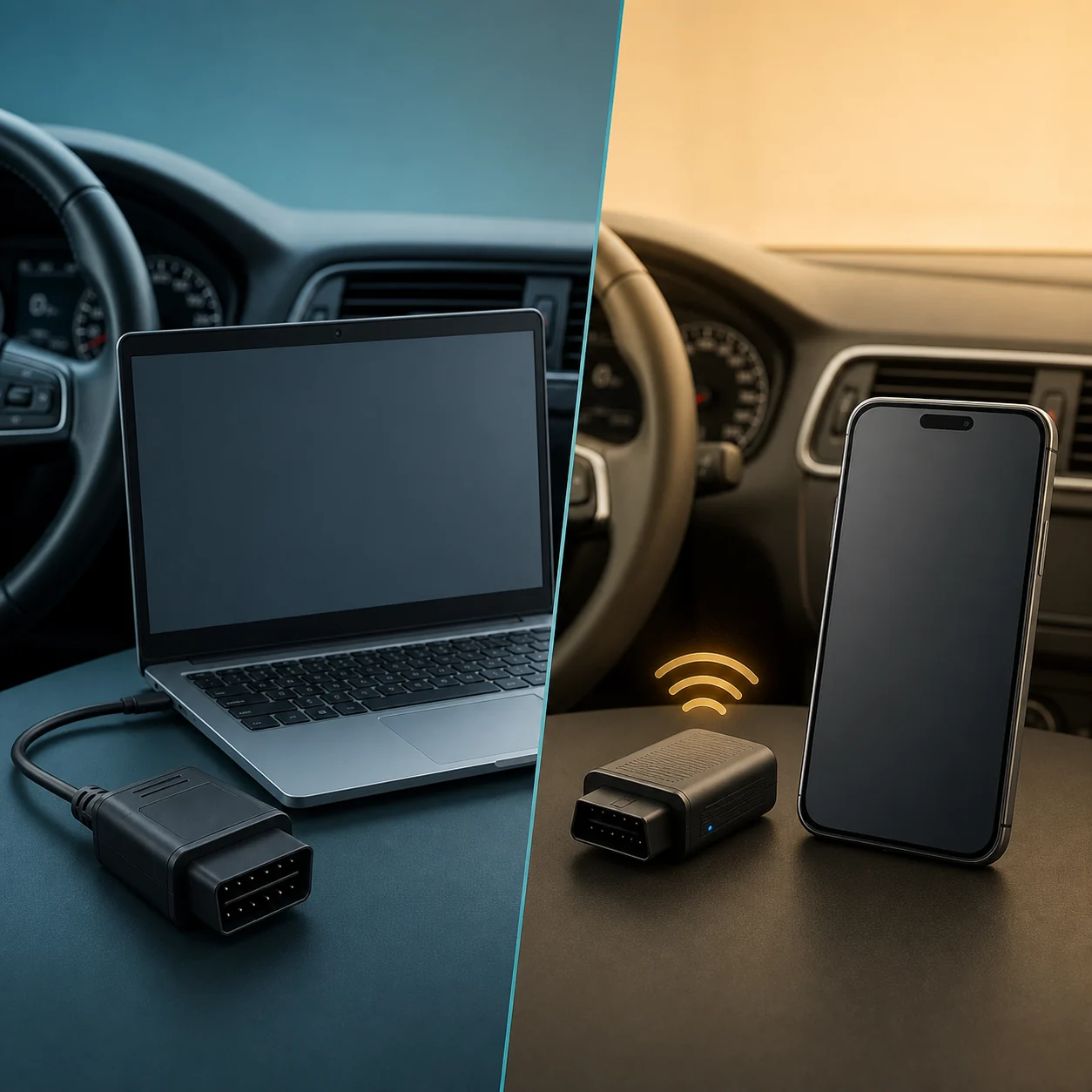
FORScan desktop is the better fit for a stable Windows PC setup, wired adapters, deeper configuration work and procedures that require the full desktop environment. FORScan Lite is the better fit for supported mobile diagnostics and portable service work with a compatible adapter. They are separate products: Lite is not simply the Windows installer on a phone, and a mobile store purchase should not be treated as a Windows Extended License.
Quick answer: desktop FORScan or FORScan Lite?
Start with the task, vehicle, device and adapter rather than the product name alone. If you work at a Windows PC and need predictable USB drivers, saved vehicle profiles or a function documented for the desktop application, choose the Windows path. If you mainly need portable code reading, live data, tests or supported service functions on a phone or tablet, evaluate FORScan Lite and its adapter requirements.
The two products overlap for some diagnostic jobs, but the overlap does not make them interchangeable. Vehicle coverage, module support, adapter behavior, license terms and available functions can differ. The official store description also says that configuration and programming functions are not available in FORScan Lite, so do not buy the mobile app expecting every Windows screen or workflow.
| If your priority is | Better starting point | Why |
|---|---|---|
| PC diagnostics with a wired setup | Windows desktop | A PC and USB adapter can provide a predictable driver and connection path. |
| Portable read-only diagnostics | FORScan Lite | A supported mobile device and wireless adapter can be convenient at the vehicle. |
| Configuration or programming | Check the Windows procedure first | Lite does not provide the full configuration and programming feature set described for the desktop path. |
| A first connection on a Windows 11 laptop | Windows desktop | The Windows guide can cover drivers, power settings and a safer first session. |
| A phone or tablet workflow | FORScan Lite | The mobile product is designed around mobile stores, mobile permissions and supported wireless modes. |
Feature comparison: diagnostics, service, configuration and programming
Both editions can be useful for supported Ford, Mazda, Lincoln and Mercury vehicles, but “can connect” is not the same as “has every function.” Read and clear supported diagnostic trouble codes, module identification, PID data and tests may overlap. Configuration, programming and some service actions require a closer check of the edition, vehicle, module, adapter and license.
Treat the table below as a decision guide, not a promise of compatibility for a specific model year. Before a write operation, confirm the exact procedure in a current source, save the original configuration and use stable vehicle voltage.
| Job | Windows desktop | FORScan Lite |
|---|---|---|
| Read supported DTCs | Available for compatible vehicles and modules | Available for compatible vehicles and modules |
| Clear supported DTCs | Available when the module and procedure allow it | Available when the module and procedure allow it |
| Live data and PIDs | Broad PC workflow | Supported mobile views vary by vehicle and module |
| Tests and service functions | Often the broader feature path | Many are available, but exact support varies |
| Configuration and programming | May be available with the right procedure and valid access | Not available according to the current iOS listing |
| Vehicle-specific write work | Backups, voltage and exact support are essential | Do not assume a Windows write procedure exists in Lite |
Platform, adapter and connection differences
The Windows edition is built around a desktop operating system, adapter drivers and a PC workflow. USB is often the clearest starting point for a long session because it avoids wireless pairing, radio-mode confusion and mobile background restrictions. Windows 11 users should still verify the adapter driver and device manager status before connecting to a vehicle.
FORScan Lite is built around the mobile store listing, mobile permissions and the adapter modes supported by the phone or tablet. Bluetooth Classic, BLE and Wi-Fi are not interchangeable labels. Confirm the exact adapter model, operating-system support and manufacturer instructions before purchase. A generic “ELM327 Bluetooth” result is not enough evidence.
- Choose the device first: Windows PC, iPhone/iPad or Android phone/tablet.
- Match the adapter's exact wireless or USB mode to that device.
- Prefer a documented, well-supported adapter for module-heavy work.
- Test read-only identification and live data before attempting any write.
- Keep the vehicle awake, maintain stable voltage and save diagnostic exports privately.
License, purchase and current version boundaries
A Windows download, Windows Extended access and a mobile store purchase are separate concepts. Do not assume that buying FORScan Lite unlocks every Windows configuration function, and do not assume that a Windows license automatically unlocks the mobile app. Check the current official terms for the product and platform you intend to use.
The official sources checked August 16, 2026 showed Windows Stable 2.3.71 and FORScan Lite 1.5.31, with the iOS listing referencing core 2.3.71. The official forum also states that 2.4 Beta testing was discontinued on April 20, 2026. Historical 2.4 searches should therefore be treated as version context, not as proof of a current public Beta download.
- Use the official Windows download page for the desktop installer.
- Use the official Apple App Store or Google Play listing for FORScan Lite.
- Check the exact license scope before planning configuration or programming work.
- Do not install a crack, pre-activated build, mod APK or license generator.
- Keep the version/date evidence with the page instead of inventing an unverified direct file URL.
Choose by task: Windows PC, iPhone/iPad or Android tablet
Choose Windows when the work is PC-centered: a wired OBD adapter, Windows driver checks, a saved vehicle profile, detailed procedure notes or a documented configuration task. Read the Windows 11 and license guides before making a change.
Choose FORScan Lite when the work is mobile-centered: portable diagnostics, supported live data, tests or service tasks at the vehicle. Confirm the app listing, adapter mode and exact vehicle support. Android users should open Google Play on the device rather than trusting a third-party APK page; iPhone and iPad users should use the official App Store record.
If you are asking “can I use FORScan on my tablet?”, the answer depends on which product and tablet you mean. FORScan Lite is the mobile path; the Windows desktop application still needs a supported Windows environment. A tablet running an unsupported operating system is not made compatible by downloading a file with a similar name.
- 1
Name the required function
Write down whether you need DTCs, live data, a test, a service routine, configuration or programming.
- 2
Match the operating system
Select Windows desktop or the mobile store product before choosing an adapter.
- 3
Check the exact adapter
Confirm USB, Bluetooth Classic, BLE or Wi-Fi support for the device and vehicle networks.
- 4
Start read-only
Identify the vehicle and modules, save the original state and only then consider a documented write procedure.
Safe download path and what not to install
The safe path is different for each product. For Windows, open the developer download page and verify the visible release channel and publisher before installing. For FORScan Lite, open the official Apple App Store or Google Play listing and compare the developer identity, version history, permissions and screenshots. This site does not host an EXE, APK or modified package.
Avoid pages promising a cracked license, unlocked APK, torrent, pre-activated installer or “latest” file with no first-party source. A download button is not evidence of authenticity. If an unknown page asks you to disable security, install an unrelated certificate or use a modified license file, stop and return to the official source.
- Windows: use the official developer download page.
- iOS: use the verified App Store listing.
- Android: use the official Google Play listing on the device.
- Compare version, publisher/developer, platform and release notes.
- Keep your original vehicle configuration backup separate from installation files.
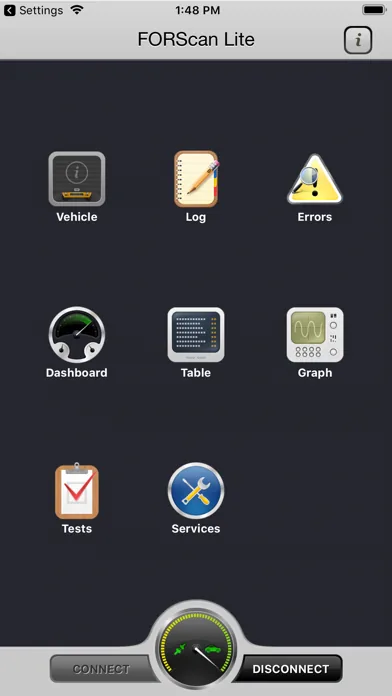
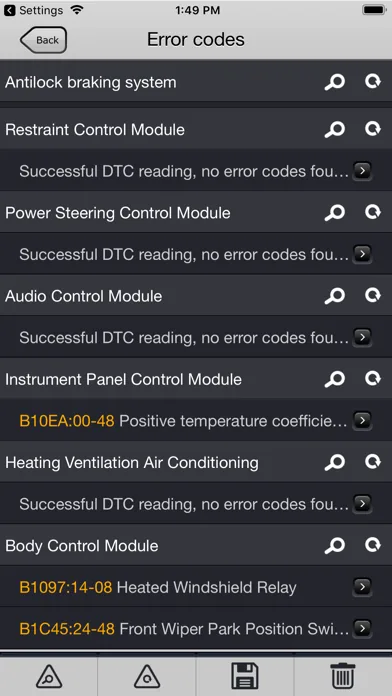
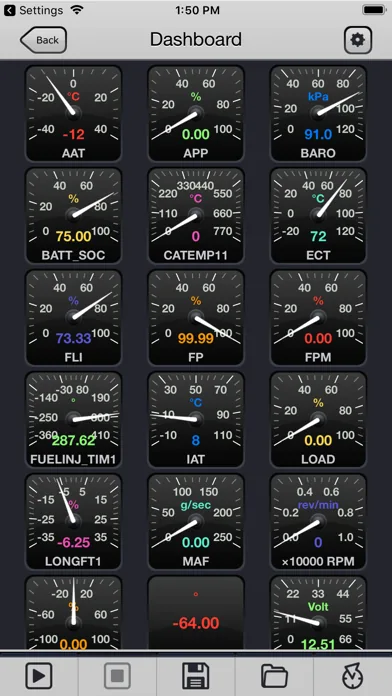
Real FORScan Lite listing screenshots
These are real mobile application images from the verified Apple App Store listing already used by the FORScan Lite guide. They are not generated interface mockups; the comparison illustration above is the only conceptual artwork on this page.
FORScan vs FORScan Lite FAQ
Is FORScan Lite the same as the Windows application?
No. FORScan Lite is a separate mobile product for supported iOS and Android devices. It overlaps with the desktop application for some diagnostic work, but it does not provide every Windows configuration or programming function.
Can I use FORScan Lite instead of FORScan on Windows?
Only for tasks that the mobile product, vehicle, module and adapter support. If a procedure requires Windows drivers, a desktop-only function, configuration or programming, check the Windows path instead of assuming the mobile app is equivalent.
Can I use FORScan on a tablet?
A supported iPhone, iPad or Android tablet may use FORScan Lite through its official store listing and a compatible adapter. The Windows desktop application still requires a supported Windows environment; a random APK or EXE does not change that requirement.
Can FORScan Lite program modules?
The current iOS listing states that configuration and programming functions are not available in FORScan Lite. Confirm the exact current support before planning any module write.
Which adapter should I use with FORScan Lite?
Match the exact adapter mode to the phone or tablet. The iOS listing names OBDLink MX+, vLinker FS Bluetooth and vLinker FD BLE as recommended examples. Confirm current platform support and vehicle-network coverage before buying.
Do I need a different license for FORScan Lite and Windows?
Treat the mobile store purchase and Windows licensing as separate products and verify the current official terms for each platform. Do not assume one purchase unlocks the other product's functions.
What versions were verified for this comparison?
The official sources checked August 16, 2026 showed Windows Stable 2.3.71 and FORScan Lite 1.5.31, with the iOS record referencing core 2.3.71. The official forum says 2.4 Beta testing was discontinued on April 20, 2026.
Where should I download FORScan Lite?
Use the official Apple App Store or Google Play listing for the device. Do not replace the official store path with a crack, mod APK or mirror that cannot prove the publisher and release history.
Version and product-boundary statements were checked against the official FORScan download page, the official Apple App Store listing and the official FORScan forum announcement. This page does not publish an unverified EXE or APK direct link.
FORScan official download pageFORScan Lite on the App StoreOfficial FORScan forum announcement